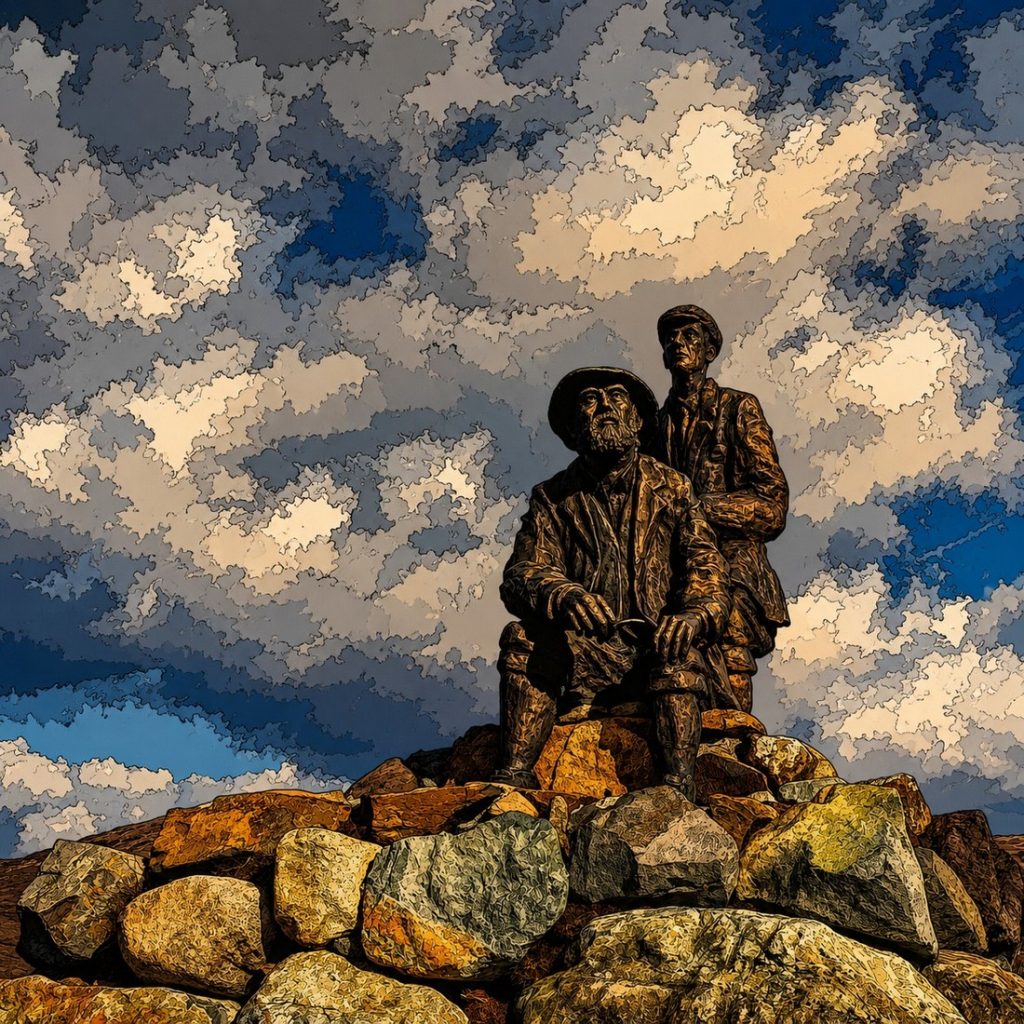
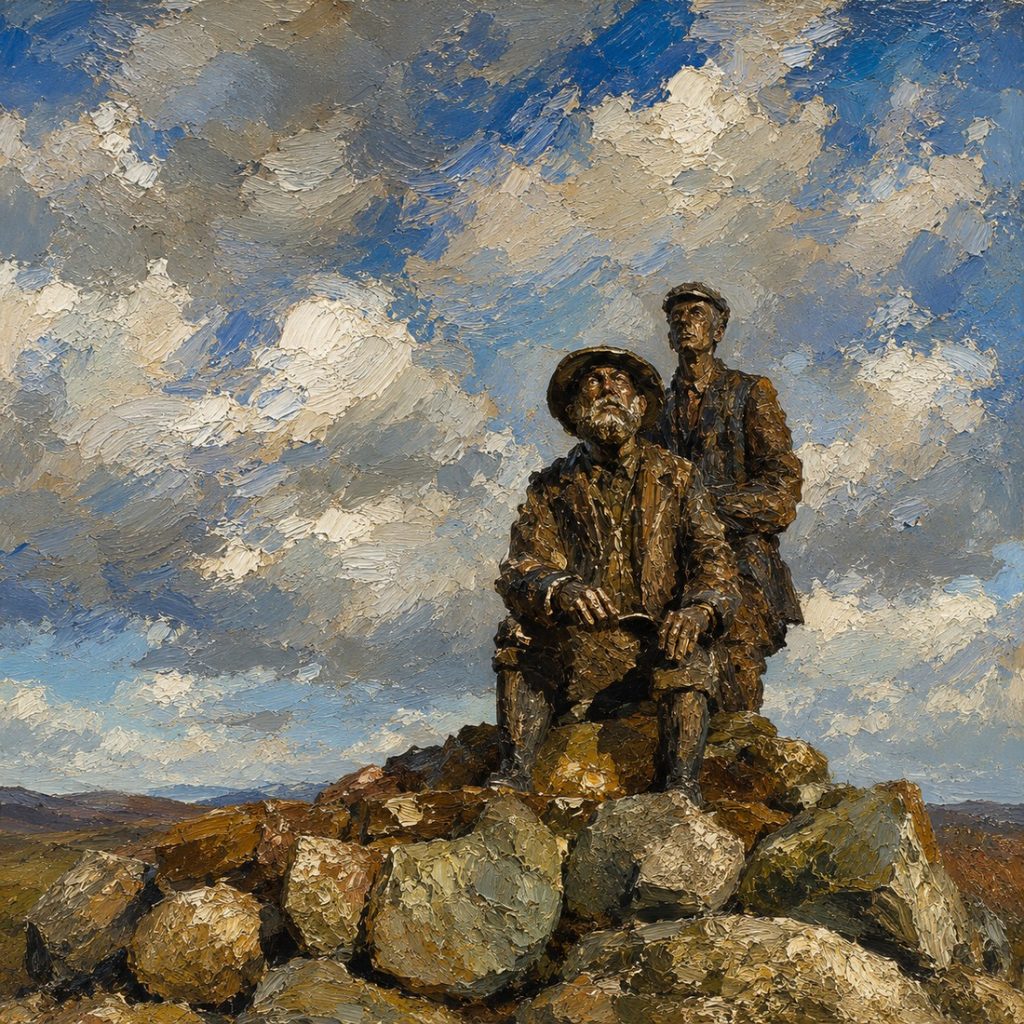
Not all AI attempts to deceive the viewer on Social Media in the following we render the same image as an Illustrata Art Photoshop Effect and in the style of Constable whose work is marked by dramatic, emotive skies and rural surroundings. We are using the Statue at Sligachan as visual examples.
Illustrata Art transforms photographs and digital artwork into bold graphic-novel-inspired illustrations with rich tonal depth, striking contrast, and a clean modern artistic feel. It works beautifully on portraits, fashion imagery, street scenes, musicians, cinematic photos, and even existing digital artwork that you want to push further stylistically.
Constables approach to watercolours was different to the traditional approach where watercolours are made up of transparent pigments built up in gentle washes over light paper. In contrast, Constable’s pictures of the Sussex countryside are vigorous and experimental. In Cottages on a high bank, Constable had started using opaque pigments and experimenting with different brushes – using a coarse – haired brush (made from hog hair or similar) to produce thick, shadowy details. He also used the end of the handle of his brush to score and abrade the paper, removing paint and bringing fine touches of light to dark areas.
Now the paragraphs may be used as AI ‘prompts’ on Nano Banana, ChatGPT etc and here’s a few more you may like to try out.
Engraving
Using cross-hatching to build shadows and textures in areas of detail while using fine lines for the brighter areas, with reduced density for brighter areas like the sky and open fields and make all outer lines thinner. Finally, apply a mild wrinkled sepia tone paper effect to give an aged appearance. Meet all constraints without deviation.
Line Drawing
Turn this image into A black and white line drawing coloring illustration, suitable for direct printing on standard size A4 paper, with 1 cm borders. The overall illustration style is fresh and simple, using clear and smooth black outline lines, without shadows, grayscale, or color filling, with a pure white background for easy coloring.
Majestic Alpenglow Sunrise
Apply warm alpenglow: raise exposure +0.4 EV, increase warmth +6 (Kelvin ~ +400K), boost vibrance +20, increase contrast +15, clarity -5 for soft highlights; enhance reflections and highlight mountain ridges with local dodging.
Dramatic Storm Supercell (B&W)
Convert to high-contrast black & white, increase contrast +30, blacks -40, apply heavy clarity +25, add subtle grain (12–18%), darken sky vignetting -20% to emphasize looming clouds.
Silky Waterfall Long Exposure
Simulate 1–3s motion blur on water only, reduce highlights -30, raise midtones +10, cool temperature slightly (-200K), add polarizer effect to deepen greens and reduce glare, increase saturation selectively on blues/greens +15.
Golden Hour Pastoral (Soft & Airy)
Increase exposure +0.6 EV, lift shadows +30, reduce blacks +10 (matte look), warm tint +5, decrease contrast -10, add gentle glow (bloom) and soft vignette (-10) for nostalgic feel.
Moody Coastal Storm (Desaturated)
Desaturate overall -25, keep teal/blue mid-saturation, increase contrast +20, crush blacks -15, add spray/fine-grain texture and a light radial dodge near the lighthouse or focal point.